
Find duplicates, and more like this from anywhere
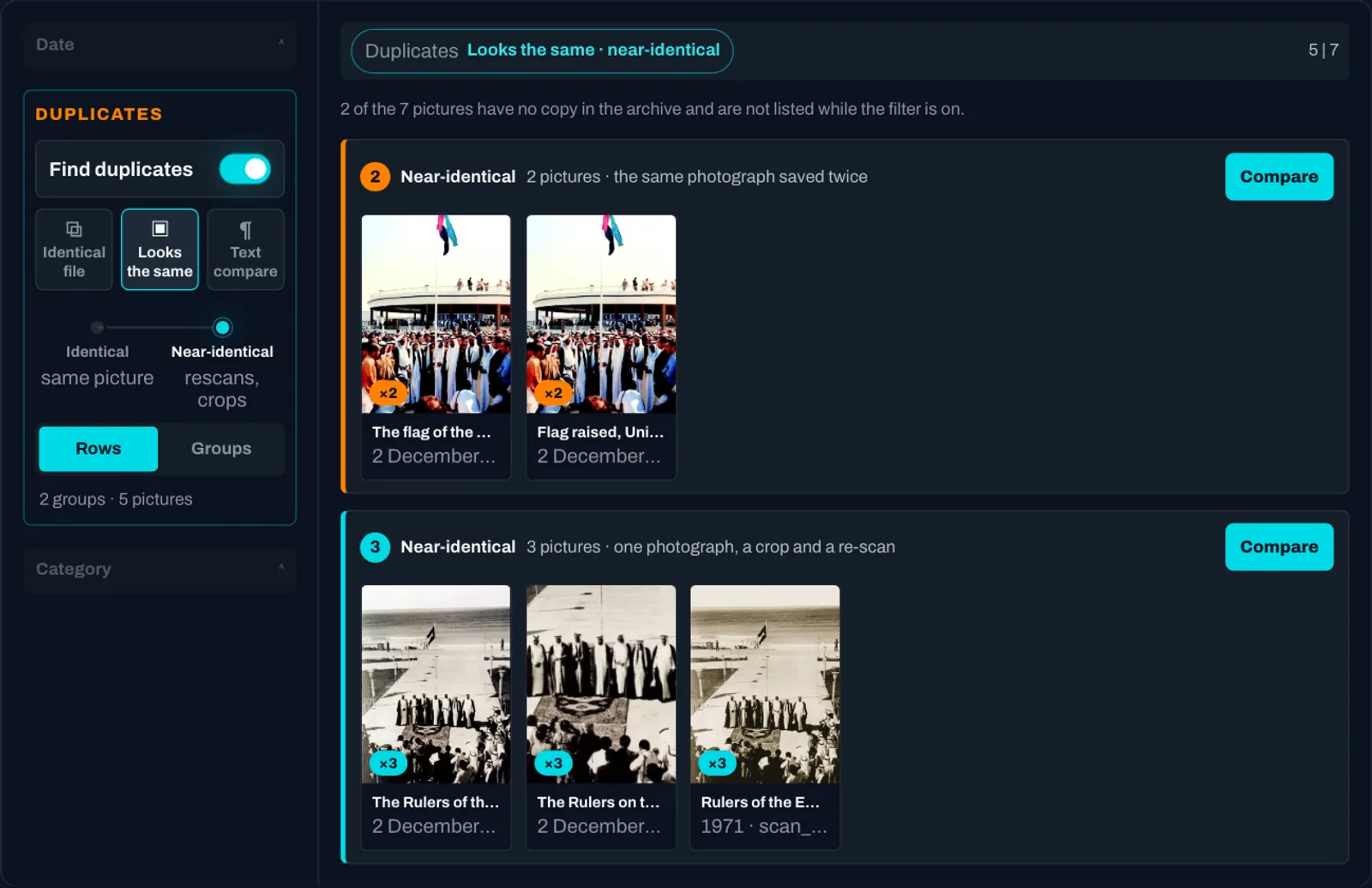
Two things have changed in how a collection is searched.
More like this starts anywhere. Every result already carried a More like this button. It now also answers for a photograph, a region of a page or a single article — point at the thing itself and ask for more like that, not more like the item it happens to sit in. Each match shows how close it is and, on hover, whether it matched on metadata, picture or text. Once you are looking at what resembles something, your search and your filters keep working inside it: narrow to one year or one collection and the counts describe the neighbours, not the archive. A Similar to … chip names where you started, and dismissing it takes you back to exactly the results you had.
Find duplicates, inside whatever you have searched. One switch on the browse page turns the listing into its duplicates, drawn as groups. Identical file spots the same file imported twice and needs no AI at all. Looks the same finds the rescans, re-exports, crops and resized copies of a picture — including a photograph sitting inside a scanned page — at the strictness you choose, with mastheads, logos and standing headers set aside rather than allowed to bury the duplicates that matter, and the count of what was set aside always shown. A group opens into a compare panel: the members side by side and a table of only the fields that differ, so the eye lands on what tells the copies apart before anyone deletes anything.
Copied text. Documents that share the same words are found with the passages marked and the share of each side stated, so a reviewer reads the match on both originals — a submitted thesis or diploma paper checked for plagiarism against everything the library holds, a wire story against the papers that printed it. And since every member of a group carries its date, a group of the same story across titles settles who published it first. It is available when enabled for an installation. Two further ways to compare text, the same story in different words and the same catalogue record filed twice, are in preview.
Video, by what changes on screen. Recordings are indexed by their scene changes, so a recording can be found by a frame in the middle of it, and a licensed video analysis adds chapters that cover the whole recording, each titled, summarised and seekable.
All of this runs on the same indexing that looks after itself in the background, re-using what has not changed, so a large archive converges on its own and a re-index costs re-indexing, not re-analysis.
The control is working on a small archive on the Discovery page.