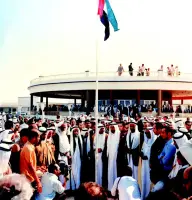
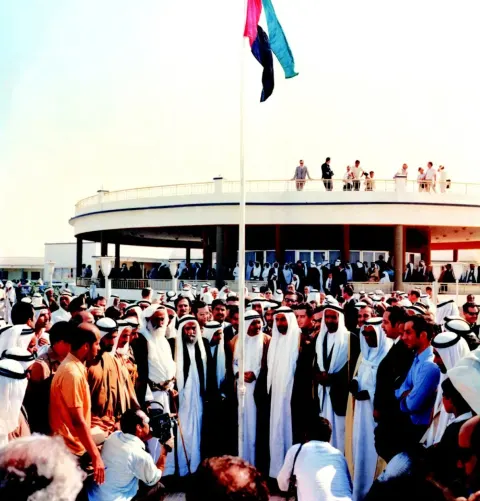
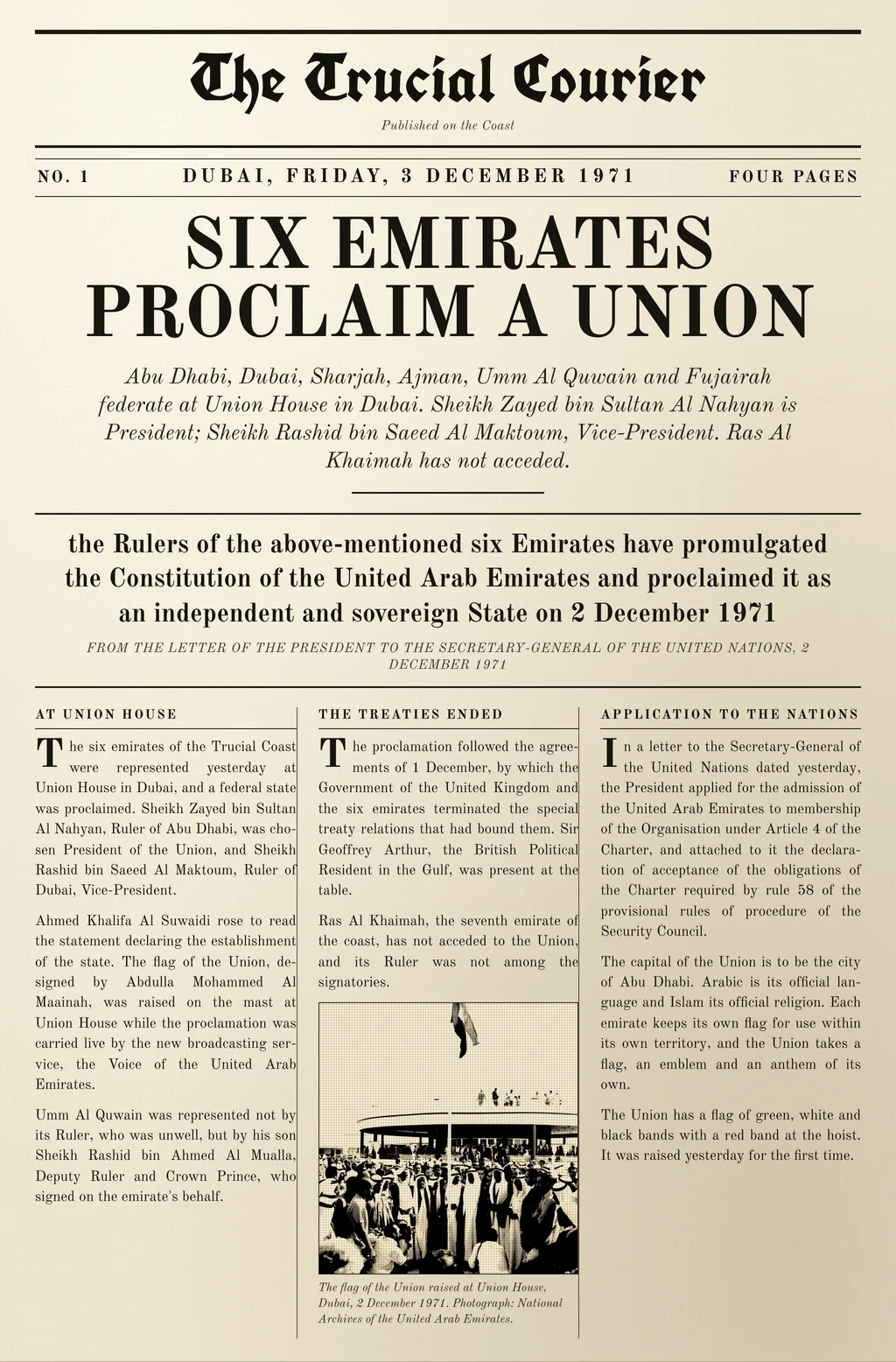
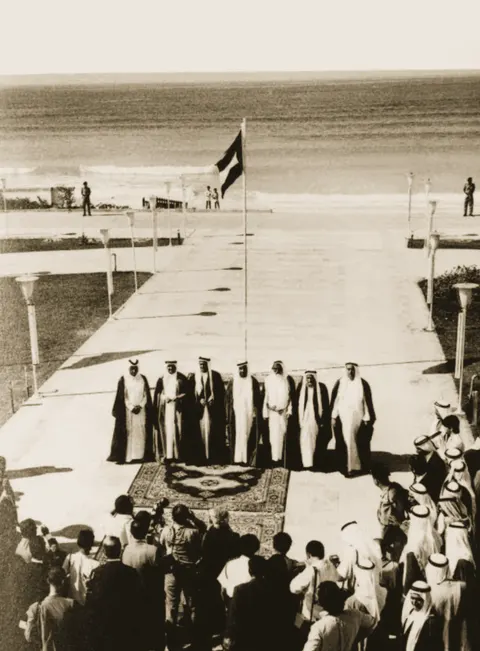
The flag of the Union raised at Union House2 December 1971 · flag-1971.webp

Discovery
Six ways a reader reaches material that was, until now, effectively invisible, across languages, across media and across time. MediaINFO Digital Library adds each of them as a layer of understanding over the object, while the object itself stays exactly as the institution received it.
A search field types the request “Neil Armstrong, July 1969”, in plain words, and six threads of light run from it to six doors, each a real object from this archive. The first is a French front page of 21 July 1969, its headline “L'Homme a marché sur la Lune” outlined and rendered in English as “Man has walked on the Moon”. The second is the crew portrait of May 1969, with three faces boxed and named: Neil Armstrong, Michael Collins and Buzz Aldrin. The third is the recording of the first words on the surface, drawn as its own waveform with the moment “one small step” marked at nought minutes and a quarter of a second. The fourth is the same French page again, this time with the name of the sea, Tranquillité, lit where it sits in the standfirst. The fifth is three papers — French, German and Spanish — each printing the same photograph, AS11-40-5903, and each dated 21 July 1969. The sixth is a pair of photographs from the same magazine, shown side by side as a picture match. The six threads then gather into one card that shows the search the request became — person Neil Armstrong, date July 1969, each a filter that can be removed — and what came back: 6 kinds of evidence, pages in French, German and Spanish · sound · photographs, with one evidence mark for each door. Each door is a link to the section of this page that demonstrates it.
A query typed in one language reaches material written in another script, and the passage comes back marked as a translation. The box below is the real thing, working on the eight objects this page is built from.
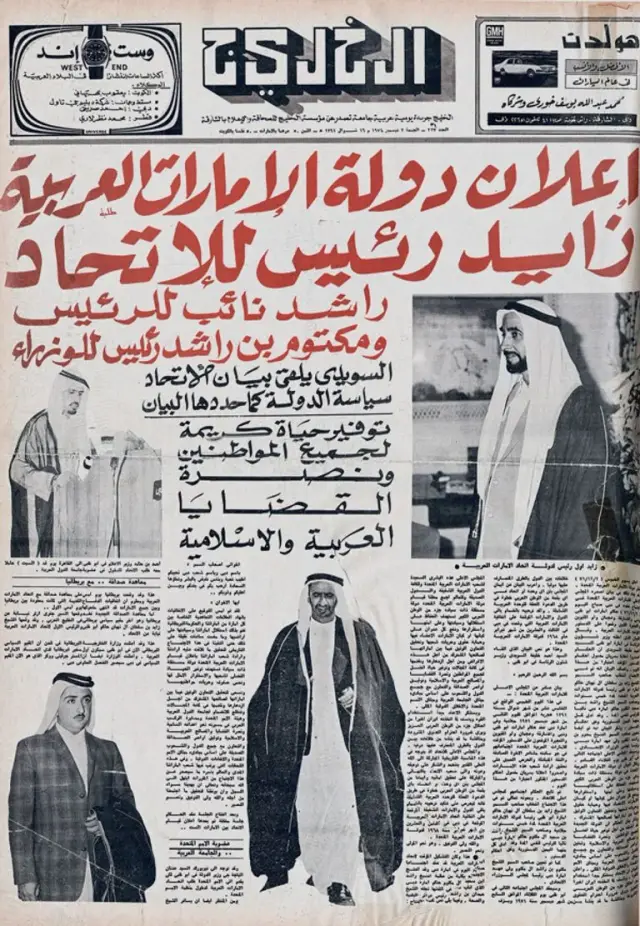
Arabic · transcribed and translated
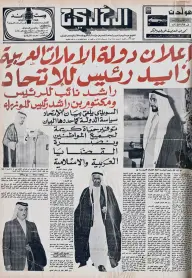
زايد رئيس للإتحاد
“Zayed, president of the union”
Found by the English search “president of the union”: it is matched against the translation stored beside the page, and the hit is lit on the Arabic line it came from. The translation is a layer over the page: the original text is preserved and remains the canonical record.
All 8 items, unfiltered.
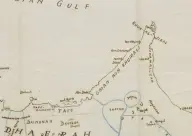
Sketch map of the Trucial Coast and the southern Persian Gulf, cropped to the coast
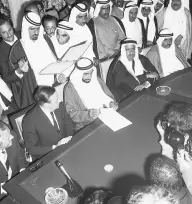
The declaration of the establishment of the state read at Union House, Dubai
The flag of the Union raised at Union House, Dubai
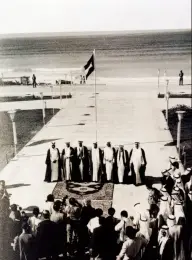
The Rulers of the Emirates after the proclamation of the Union, Guest Palace, Dubai
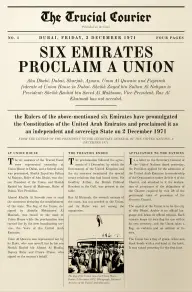
“The Trucial Courier”, front page of 3 December 1971
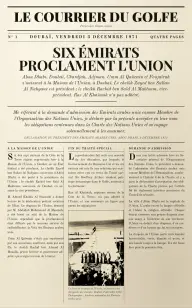
“Le Courrier du Golfe”, front page of 3 December 1971
Arabic daily, front page of 3 December 1971: the announcement of the state of the United Arab Emirates
Fireside Chat 1, on the banking crisis — radio address from the White House
No item on this page matches; the platform would search the whole archive.
A small local index of the 8 items on this page. The platform searches across the whole archive.
A photograph, a printed page and a reel of film are three different problems. Below: a face matched in a photograph, a name found in recognised text, and appearances listed per segment in a film: three kinds of media, each searchable.
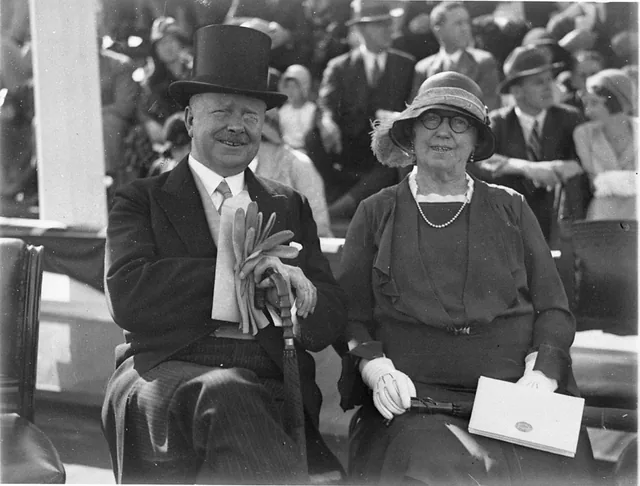 Face matched to a person your archive already holdsSecond face detected · unnamed, and ready for a curator
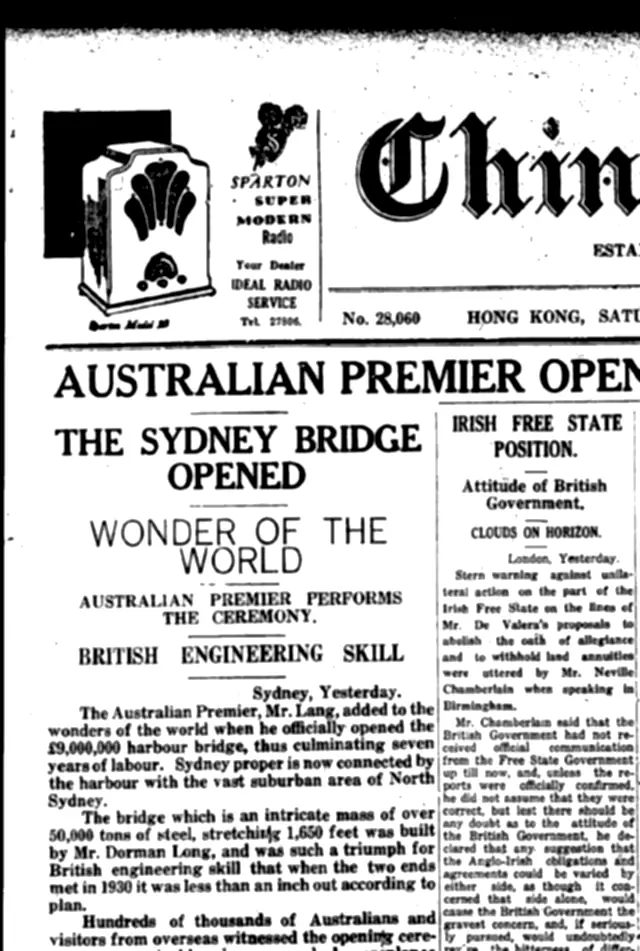 A name in the recognised text of the page, searchable from it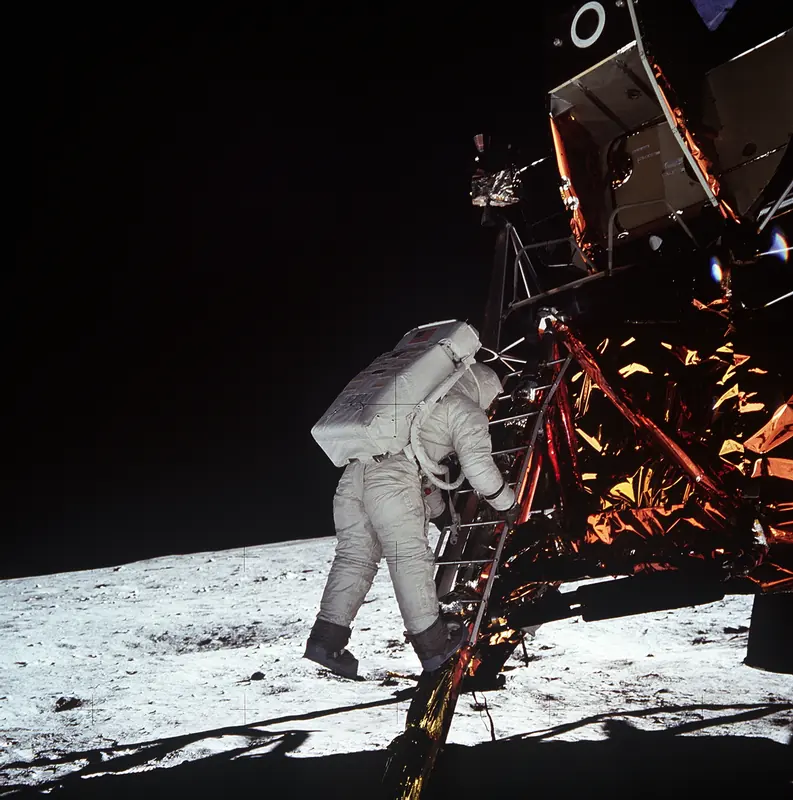
An appearance listed at 00:41–01:12
Speech becomes text with timings, so a result is a moment rather than a file. Below is a real recording with its real transcript: press play and the words arrive as they are said, or clicktap any one of them to hear it.
0:00.00:13.5Paused at the start of a 13.5-second excerpt.
39 words, each timed to the recording.
Click a word to hear it.Tap a word to hear it. With the player held, space plays and pauses, the left and right arrows move a second, and Home and End go to the beginning and the end. Enter in the search box plays from the first word it found.
A 13.5-second excerpt of a real recording made in 1933, transcribed word by word, so a search lands on the moment a word was spoken. The platform does the same across whole collections, of any length.
Describe what you are looking for in your own words, and your request becomes a search you can see and correct. The results are the archive's own items, in the order search puts them. It is a search, not a story to take on trust.
Then, on the page it found: every hit lit where it sits.
The whole page. 461 words on it are indexed.
Drag the page to move it; double-click a word to fly to it.Drag the page to move it, and pinch to zoom. With the viewer held, the arrow keys pan, plus and minus zoom, the scroll wheel zooms, Home returns to the whole page and Escape lets it go.
A typeset page, every word of it indexed. On a scanned original the platform does the same from its OCR.
One click from any result to the items that resemble it, and one switch that turns a listing into its duplicates: the same file imported twice, the same photograph cropped and re-scanned, the same passage printed in two places. The control below is the real thing, working on a seven-picture archive and two documents.
Find the copies in a small archive
The flag of the Union raised at Union House2 December 1971 · flag-1971.webp
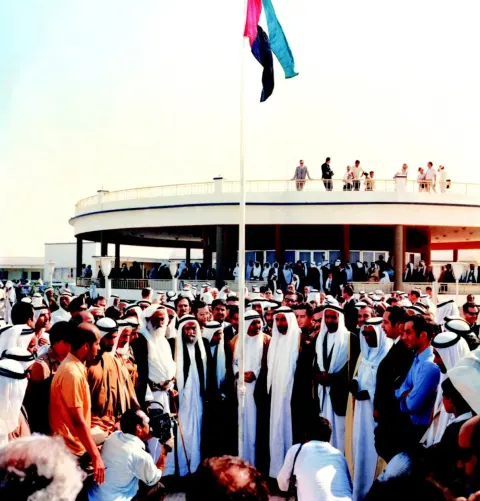
Flag raised, Union House, Dubai2 December 1971 · flag-1971 (1).webp
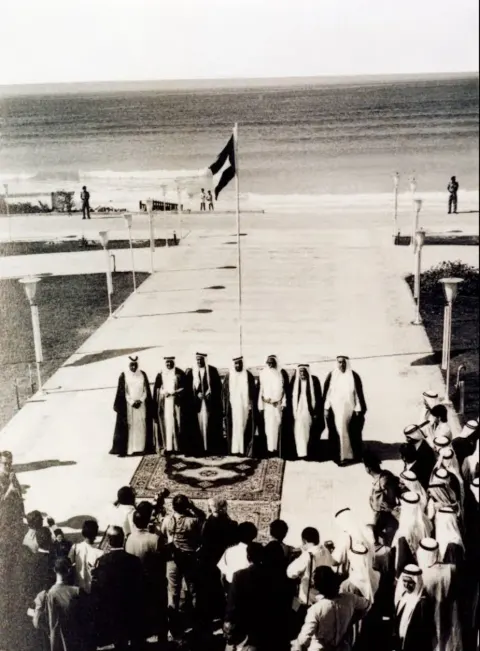
The Rulers of the Emirates after the proclamation2 December 1971 · rulers-1971.webp
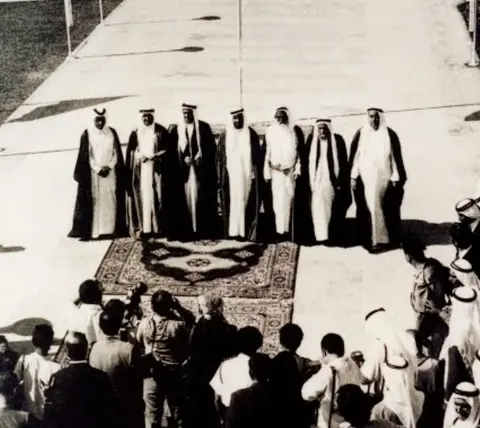
The Rulers on the carpet, Guest Palace2 December 1971 · rulers-1971-detail.webp
Rulers of the Emirates, Guest Palace, Dubai1971 · scan_0412.webp
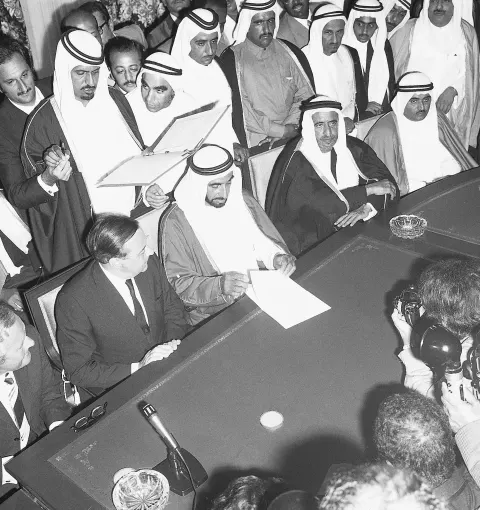
The declaration of the establishment of the state is read2 December 1971 · reading-1971.webp
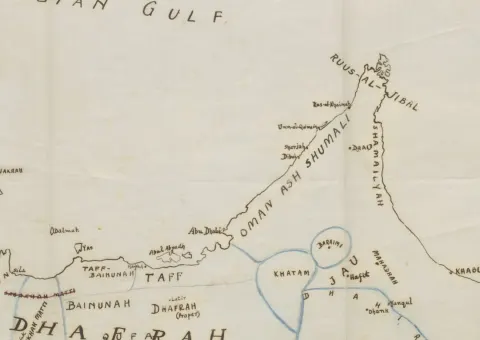
Sketch map of the Trucial Coast1926 · trucial-coast-1926.webp
Letter of the President to the Secretary-GeneralUnited Nations · 2 December 1971 · 196 words
“Six Emirates Proclaim a Union”Front page · 3 December 1971 · 446 words
Lights All Askew in the HeavensThe New York Times · 10 November 1919 · 362 words
Einstein Expounds His New TheoryThe New York Times · 3 December 1919 · 642 words
Don Quijote de la ManchaCervantes Saavedra, Miguel de · 1605
Don Quijote de la ManchaCervantes Saavedra, Miguel de · 1615
The same subject, reported twice: no shared passages of wording — the match is in what the two articles are about, not in their words.Every member carries its date: here London had it on 10 November, three weeks before Berlin — a group of the same story across titles settles who published it first.
Lights All Askew in the HeavensThe New York Times · 10 November 1919
LONDON, Nov. 9.—Efforts made to put in words intelligible to the non-scientific public the Einstein theory of light proved by the eclipse expedition so far have not been very successful. The new theory was discovered at a recent meeting of the Royal Society and Royal Astronomical Society. Sir Joseph Thomson, President of the Royal Society, declares it is not possible to put Einstein's theory into really intelligible words, yet at the same time Thomson adds: "The results of the eclipse expedition demonstrating that the rays of light from the stars are bent or deflected from their normal course by other aerial bodies acting upon them and consequently the inference that light has weight form a most important contribution to the laws of gravity given us since Newton laid down his principles." states that the difference between theories of Newton and those of Einstein are infinitesimal in a popular sense, and as they are purely mathematical and can only be expressed in strictly scientific terms it is useless to endeavor to detail them for the man in the street. "What is easily understandable," he continued, "is that Einstein predicted the deflection of the starlight when it passed the sun, and the recent eclipse has provided a demonstration of the correctness of the prediction. "His second theory as in the anomalous motion of the planet Mercury has also been verified, but his third prediction, which dealt with certain sun lines is still indefinite." Asked if recent discoveries meant a reversal of the laws of gravity as defined by Newton, Sir Joseph said they held good for ordinary purposes, but in highly mathematical problems the new conceptions of Einstein, whereby space became warped or curled under certain circumstances, would have to be taken into account. Vastly different conceptions which are involved in this discovery and the necessity for taking Einstein's theory more into account were voiced by a member of the expedition, who pointed out that it meant, among other things, that two lines normally known as parallel do meet eventually, that a circle is not really circular, that three angles of a triangle do not necessarily make the sum total of two right angles.
Einstein Expounds His New TheoryThe New York Times · 3 December 1919
BERLIN, Dec. 2.-Now that the Royal Society, at its meeting in London on Nov. 6, has put the stamp of its official authority on Dr. Albert Einstein's much-debated new "theory of relativity," man's conception of the universe seems likely to undergo radical changes. Indeed, there are German savants who believe that since the promulgation of Newton's theory of gravitation no discovery of such importance has been made in the world of science. When The New York Times correspondent called at his home to gather from his own lips an interpretation of what to laymen must appear the book with the seven seals, Dr. Einstein himself modestly put aside the suggestion that his theory might have the same revolutionary effect on the human mind as Newton's theses. The doctor lives on the top floor of a fashionable apartment house on one of the few elevated spots in Berlin - so to say, close to the stars which he studies, not with a telescope, but rather with the mental eye, and so far only as they come within the range of his mathematical formulae; for he is not an astronomer but a physicist. It was from his lofty library, in which this conversation took place, that he observed years ago a man dropping from a neighboring roof - luckily on a pile of soft rubbish - and escaping almost without injury. This man told Dr. Einstein that in falling he experienced no sensation commonly considered as the effect of gravity, which, according to Newton's theory, would pull him down violently toward the earth. This incident, followed by further researches along the same line, started in his mind a complicated chain of thoughts leading finally, as he expressed it, "not to a disavowal of Newton's theory of gravitation, but to a sublimation or supplement of it." When he read in the message from The Times requesting the interview a reference to Dr. Einstein's statement to his publishers on the submission of his last book that not more than twelve persons in all the world could understand it, coupled with the editor's request that Dr. Einstein put his theory in terms comprehensible to a larger number than twelve, the doctor laughed good-naturedly, but still insisted on the difficulty of making himself understood by laymen. "However," he said, "I am trying to talk as plainly as possible. To begin with the difference between my conception and Newton's law of gravitation: Please imagine the earth removed, and in its place suspended a box as big as a room or a whole house and inside a man naturally floating in the centre, there being no for force whatever pulling him. Imagine, further, this box being, by a rope or other contrivance, suddenly jerked to one side, which is scientifically termed 'difform motion,' as opposed to 'uniform motion.' The person would then naturally reach bottom on the opposite side. The result would consequently be the same as if he obeyed Newton's law of gravitation, while, in fact, there is no gravitation exerted whatever, which proves that difform motion will in every case produce the same effects as gravitation. "I have applied this new idea to every kind of difform motion and have thus developed mathematical formulas which I am convinced give more precise results than those based on Newton's theory. Newton's formulas, however, are such close approximations that it was difficult to find by observation any obvious disagreement with experience. "One such case, however, was presented by the motion of the planet Mercury, which for a long time baffled astronomers. This is now completely cleared up by my formulas, as the Astronomer Royal, Sir Frank Dyson, stated at the meeting of the Royal Society. "Another case was the deflection of rays of light when passing through the field of gravitation. No such deflections are explicable by Newton's theory of gravitation.
| Field | Representative | Member 1 |
|---|---|---|
| Title | Don Quijote de la Mancha | Don Quijote de la Mancha |
| Author | Cervantes Saavedra, Miguel de | Cervantes Saavedra, Miguel de |
| Publisher | Juan de la Cuesta, for Francisco de Robles | Juan de la Cuesta, for Francisco de Robles |
| Place | Madrid | Madrid |
| Year | 1605 | 1615 |
| Part | Part I — El ingenioso hidalgo don Quijote de la Mancha | Part II — Segunda parte del ingenioso caballero don Quijote de la Mancha |
| Description | A gentleman of La Mancha, his head turned by books of chivalry, names himself Don Quixote and rides out with Sancho Panza as his squire. | Knight and squire set out again, now met by people who have read the first part; the book ends with Don Quixote's recovery and death. |
21 % of the letter is in the page · 9 % of the page is from the letter · 41 shared words · 2 passagesThe same view checks a submitted thesis or diploma paper for plagiarism against everything the library holds — copied-text detection is available when enabled for an installation.
Letter of the President to the Secretary-General196 words · 21 % shared
LETTER DATED 2 DECEMBER 1971 FROM THE PRESIDENT OF THE UNITED ARAB EMIRATES ADDRESSED TO THE SECRETARY-GENERAL I have the honour to inform you that following the agreements reached on 1 December 1971 between the Government of the United Kingdom of Great Britain and Northern Ireland and the Emirates of Abu Dhabi, Dubai, Sharjah, Umm Al Quwain, Ajman and Fujairah, terminating the Special Treaty relations between the Emirates and the United Kingdom, the Rulers of the above-mentioned six Emirates have promulgated the Constitution of the United Arab Emirates and proclaimed it as an independent and sovereign State on 2 December 1971. I have the honour to submit on behalf of the United Arab Emirates this application for admission to membership of the United Nations in accordance with Article 4 of the United Nations Charter. I would be grateful if you would place this application before the Security Council and the General Assembly at the earliest opportunity. Under rule 58 of the provisional rules of procedure of the Security Council, I have the honour to attach herewith a Declaration made in accordance with that rule. (Signed) Zaid bin Sultan Al Nahayyan, President of the United Arab Emirates
“Six Emirates Proclaim a Union”446 words · 9 % shared
The Trucial Courier No. 1 Dubai, Friday, 3 December 1971 Four pages Six Emirates Proclaim a Union Abu Dhabi, Dubai, Sharjah, Ajman, Umm Al Quwain and Fujairah federate at Union House in Dubai. Sheikh Zayed bin Sultan Al Nahyan is President; Sheikh Rashid bin Saeed Al Maktoum, Vice‑President. Ras Al Khaimah has not acceded. the Rulers of the above-mentioned six Emirates have promulgated the Constitution of the United Arab Emirates and proclaimed it as an independent and sovereign State on 2 December 1971 From the letter of the President to the Secretary-General of the United Nations, 2 December 1971 At Union House The six emirates of the Trucial Coast were represented yesterday at Union House in Dubai, and a federal state was proclaimed. Sheikh Zayed bin Sultan Al Nahyan, Ruler of Abu Dhabi, was chosen President of the Union, and Sheikh Rashid bin Saeed Al Maktoum, Ruler of Dubai, Vice-President. Ahmed Khalifa Al Suwaidi rose to read the statement declaring the establishment of the state. The flag of the Union, designed by Abdulla Mohammed Al Maainah, was raised on the mast at Union House while the proclamation was carried live by the new broadcasting service, the Voice of the United Arab Emirates. Umm Al Quwain was represented not by its Ruler, who was unwell, but by his son Sheikh Rashid bin Ahmed Al Mualla, Deputy Ruler and Crown Prince, who signed on the emirate's behalf. The treaties ended The proclamation followed the agreements of 1 December, by which the Government of the United Kingdom and the six emirates terminated the special treaty relations that had bound them. Sir Geoffrey Arthur, the British Political Resident in the Gulf, was present at the table. Ras Al Khaimah, the seventh emirate of the coast, has not acceded to the Union, and its Ruler was not among the signatories. Application to the Nations In a letter to the Secretary-General of the United Nations dated yesterday, the President applied for the admission of the United Arab Emirates to membership of the Organisation under Article 4 of the Charter, and attached to it the declaration of acceptance of the obligations of the Charter required by rule 58 of the provisional rules of procedure of the Security Council. The capital of the Union is to be the city of Abu Dhabi. Arabic is its official language and Islam its official religion. Each emirate keeps its own flag for use within its own territory, and the Union takes a flag, an emblem and an anthem of its own. The Union has a flag of green, white and black bands with a red band at the hoist. It was raised yesterday for the first time.
A working demonstration on the seven pictures and two documents this page holds; the platform does the same across a whole archive.
Layout analysis reads a page into its articles. It answers a different question from text recognition: not what the page says but how it is put together: which block is a headline, which picture belongs to which story, where one article ends and the next begins, and in what order a human reads it. Below are two real front pages, read into their articles.
A front page, read into its articles
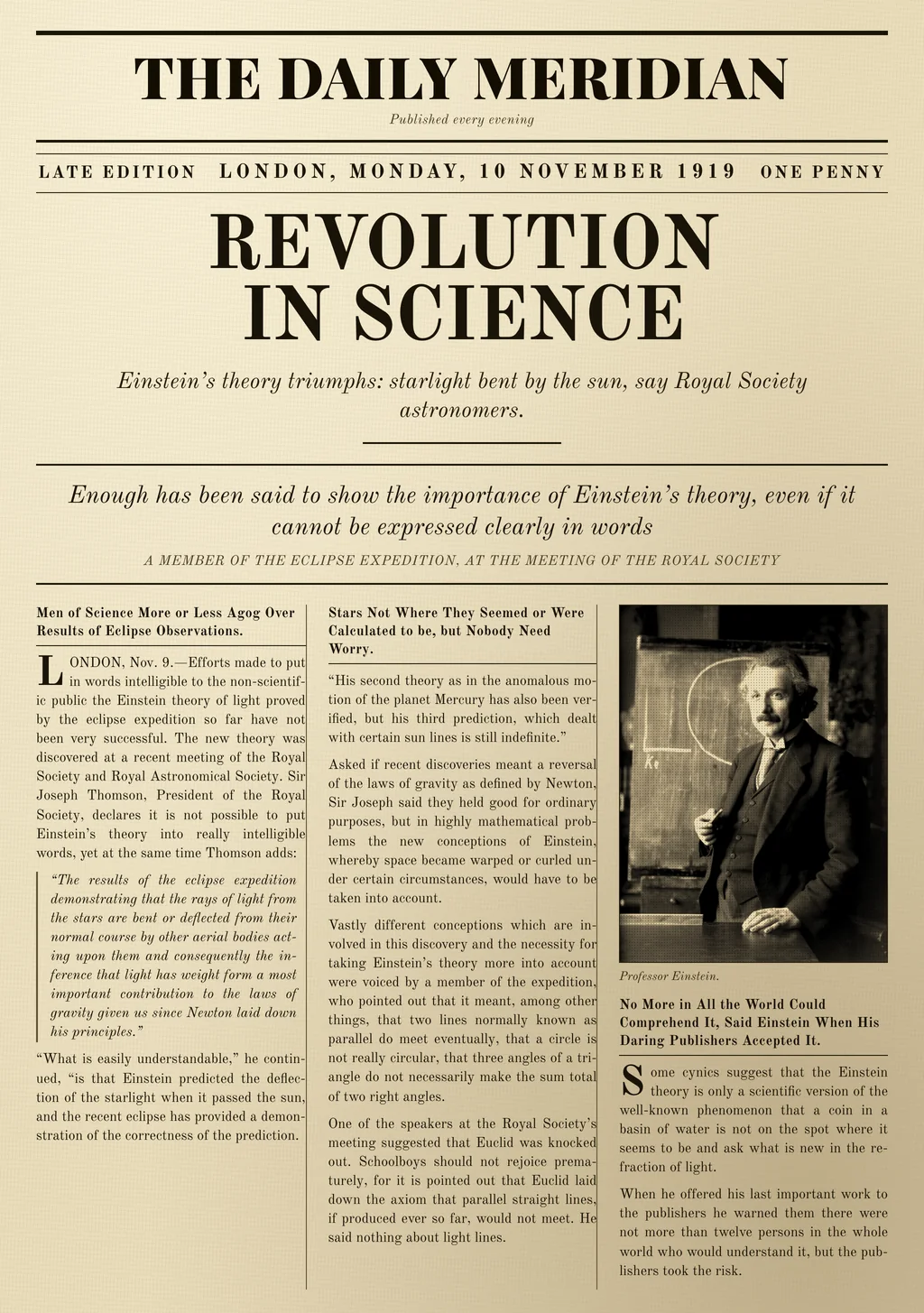
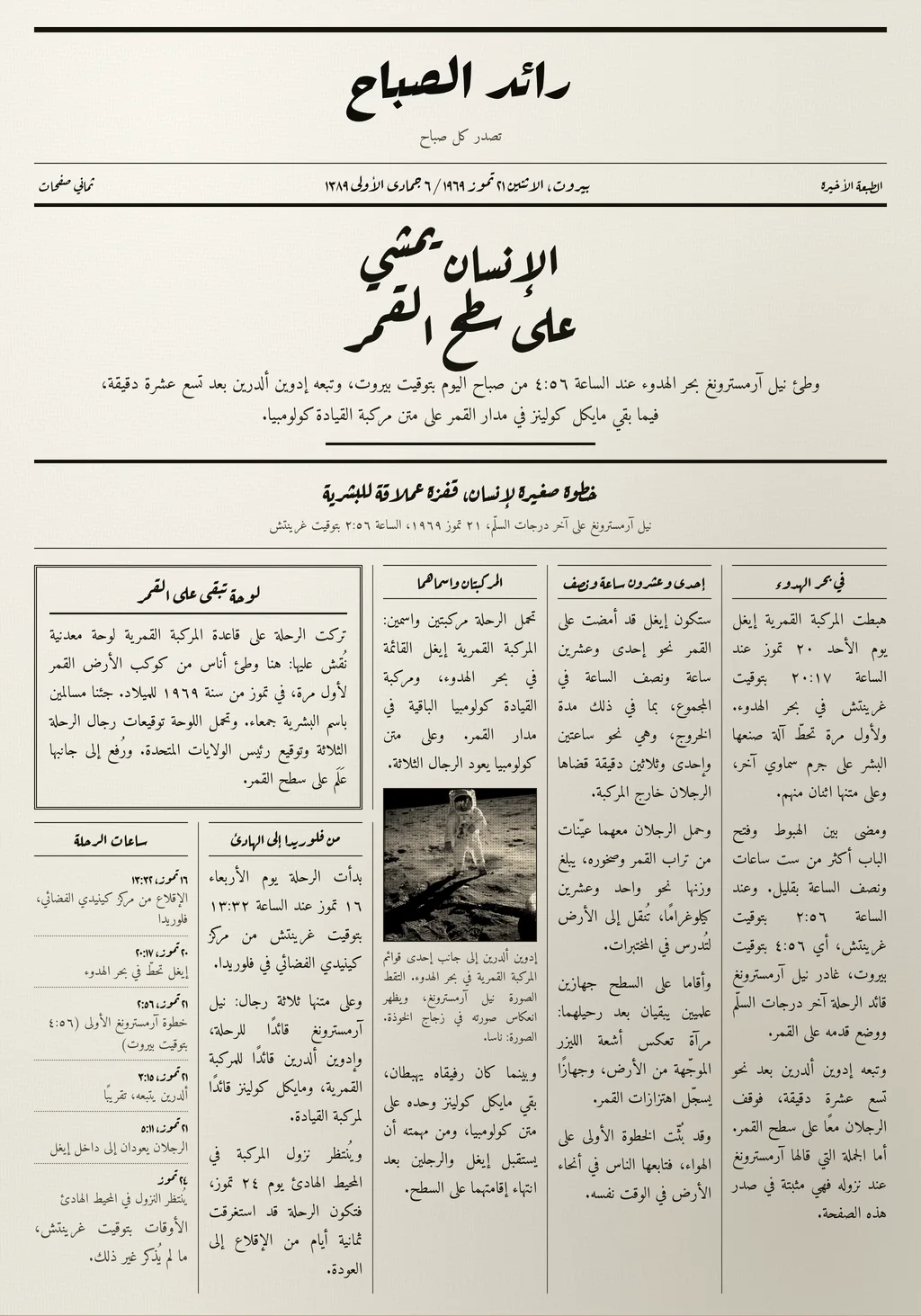
A working demonstration on two front pages this site sets; in MediaINFO this happens at import, on every page: the zones are found, grouped into articles and given the order a reader reads them in, in either reading direction, and the newspaper's name, the issue date and the issue number are read off the masthead and the dateline, in whichever calendar the page carries, with the other calendar's date worked out and kept beside it. An additional article-segmentation pass is available when enabled.
A manuscript goes through the same recognition as a printed page, and every word it reads is placed on the page. Below is a leaf copied and painted in Baghdad in 1334, every line of it in place, down to the note a later reader left in its margin, with the date its copyist wrote, in both calendars.
A manuscript page, line by line
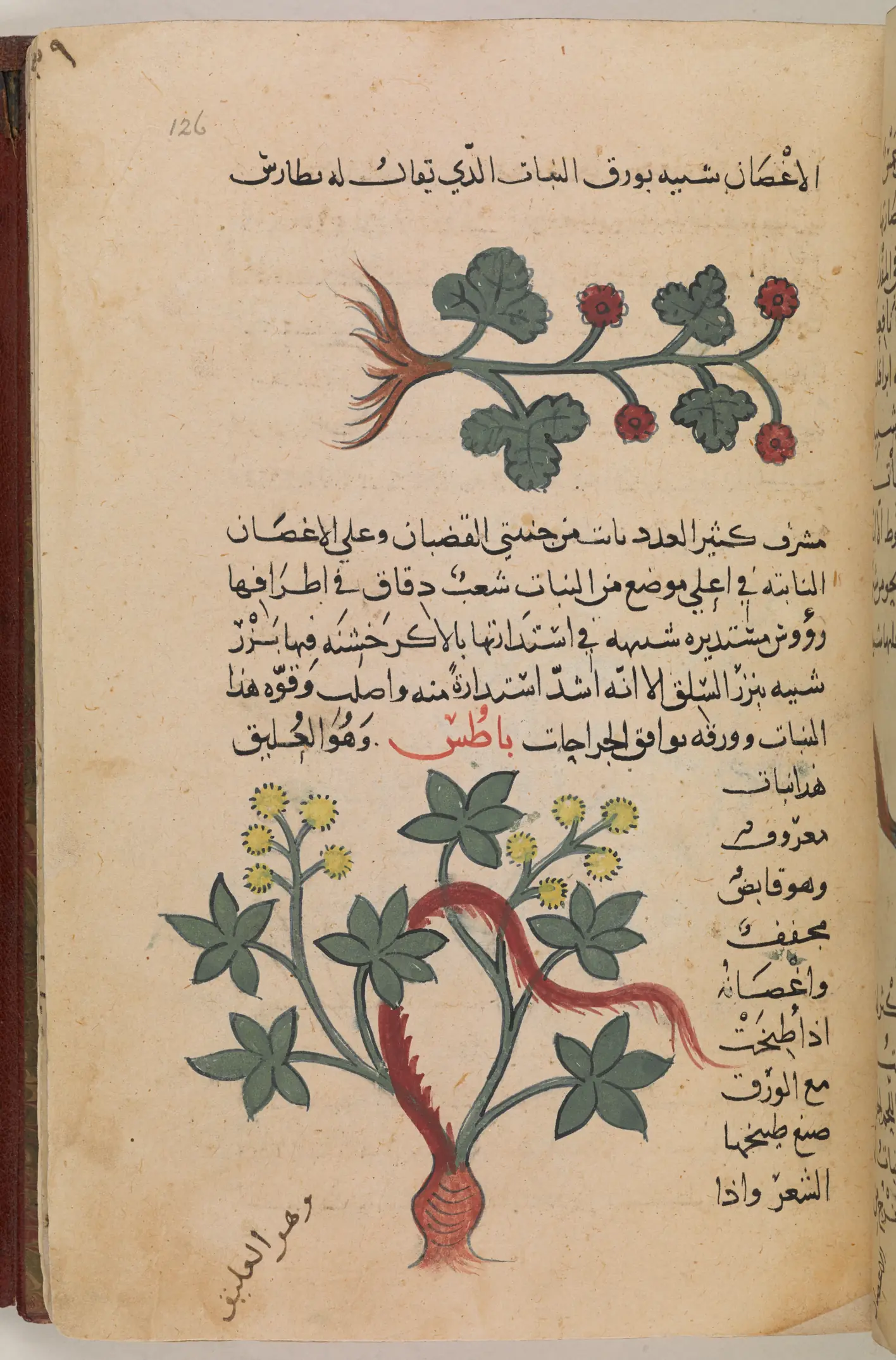
Drag the page to move it, and double-click to zoom in.Drag the page to move it, and pinch to zoom. With the page held, the arrow keys pan, plus and minus zoom, Home returns to the whole page and Escape lets it go.
16 lines read right to left
The colophon, f. 181r
تمت المقالة الرابعة من ديسقوريدس من نسخها ونقشها يوم الخميس
عاشر ربيع الأول من سنة خمس وثلثين وسبعمائة هجرية على يدي العبد
الضعيف الحاج النقاش بمدينة السلم بغداد حامدًا ومصليًا ومسلمًا
The copyist, who also painted the plants, finished the book's fourth part in Baghdad on a Thursday, the tenth of Rabī‘ I in the year 735. Colophon as transcribed in the British Library's catalogue record for Or 3366 (catalogue text CC BY, British Library Board).
One date, two calendars
Entered as the colophon gives it, the date is shown and searched in either calendar. For a date this early the Gregorian day is approximate, by a day or two: a month began with the sighting of the new moon, and the scribe names a Thursday where the worked-out date is a Tuesday. The Julian date is the British Library's, in the calendar then in use.
The lines and their text are the British Library's own transcription, shown as a recognised page carries them in the platform. Dioscorides, Materia medica, copied in Baghdad in 735 AH (1334); British Library, Or 3366, f. 126r (public domain).
An institution cannot stand behind what it cannot check. So everything the platform adds says that it was added.
Metadata
Illustrative fields; the tag marks a value an automatic source populated.
The stance
The original object stays intact.
Originals can be retained alongside every derivative, and images stored losslessly for preservation-grade holdings.
Intelligence is a layer on top.
Recognised text, faces, transcripts, translations and descriptions sit beside the object, never inside it.
What was derived is marked as derived.
AI-populated fields are visible as such, remain editable, and a name a curator has entered is never overwritten by an automatic source.
A translation is a translation.
The overlay never modifies the asset, and the original text remains the canonical record for citation.
Nothing is published until you publish it.
Which collections are exposed, which fields are mapped to which standard, and what may be downloaded are all your decisions.
MIMI (MediaINFO Machine Intelligence), the platform's AI, comes in two forms. MIMI Edge runs on infrastructure you control: run fully offline, nothing (no media, no metadata, no result) leaves your network. With MIMI Cloud, hosted by MediaINFO, or with MIMI Edge connected to another AI service you choose, only the material a given operation needs is sent, and the results come back to be stored on your own systems. Each capability is set independently, and for collections under data-residency obligations every one of them, face recognition included, can be kept on MIMI Edge, fully offline. Your own people stay private to your installation; only public figures are shared.
A guided demonstration on our demo server, with a few items from your material if you wish.