
A newspaper page arrives as its articles
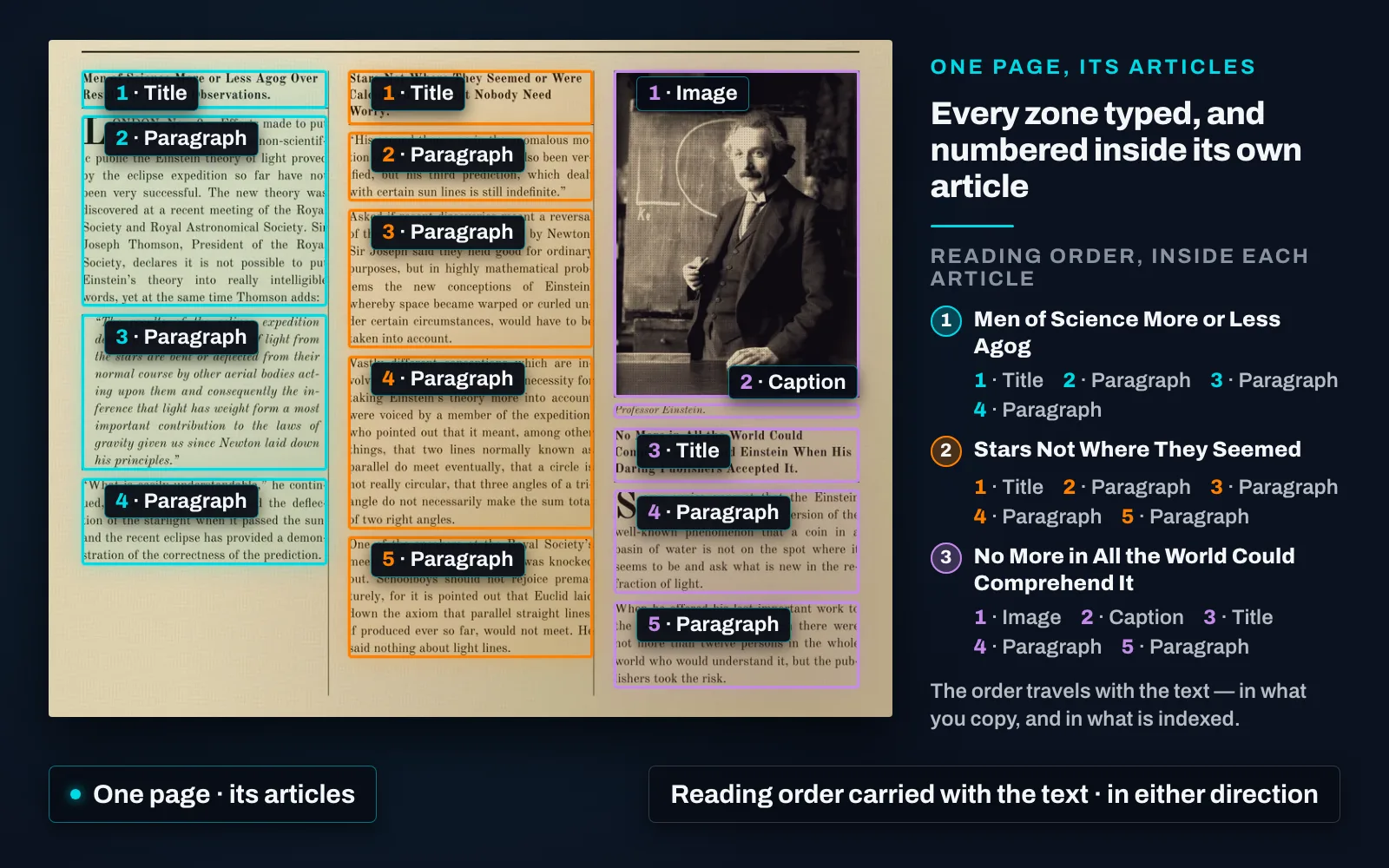
A scanned page is a grid of boxes, not a sequence. Layout analysis types the regions — headings, text blocks, bylines, captions, pictures — and groups them into articles, so a newspaper page comes out of import as its stories, not one slab of recognised words.
An article then behaves as a unit of its own. The canvas zooms to it, one action selects the whole of it, not the block under the pointer, the Segments tab lists it, the editor opens it with all its zones, and search returns the article, not the whole issue. Similarity ranks it and duplicate detection groups it — which is how syndicated copy is traced — and a link or a download can be taken for the article alone.
It carries its reading order with it. The direction is read from the page itself, so a right-to-left page is assembled right-to-left. For Arabic and other right-to-left material that is the difference between an article that reads as written and one whose columns come out in the wrong order, and one collection can hold both directions.
The page says what it is, and that is read too. The newspaper’s name, the issue date and the issue number are read off the masthead and dateline and recorded on the item, so a bulk of scanned issues files itself into titles, years and numbers. A date is read in whichever calendar the page carries, Hijri or Gregorian, and the other calendar’s reading is worked out and kept beside it.
Structure you already have is kept, not recomputed. Where a package arrives with its own METS/ALTO structure, that hierarchy becomes the segment hierarchy and its order the reading order.
An additional segmentation pass is available when enabled. It is switched on per job — Enhanced article segmentation, on the Layout analysis job — for the dense pages that earn it. It is additive: if it cannot complete, the standard segmentation stands and the job finishes.