
Search across languages, from one query
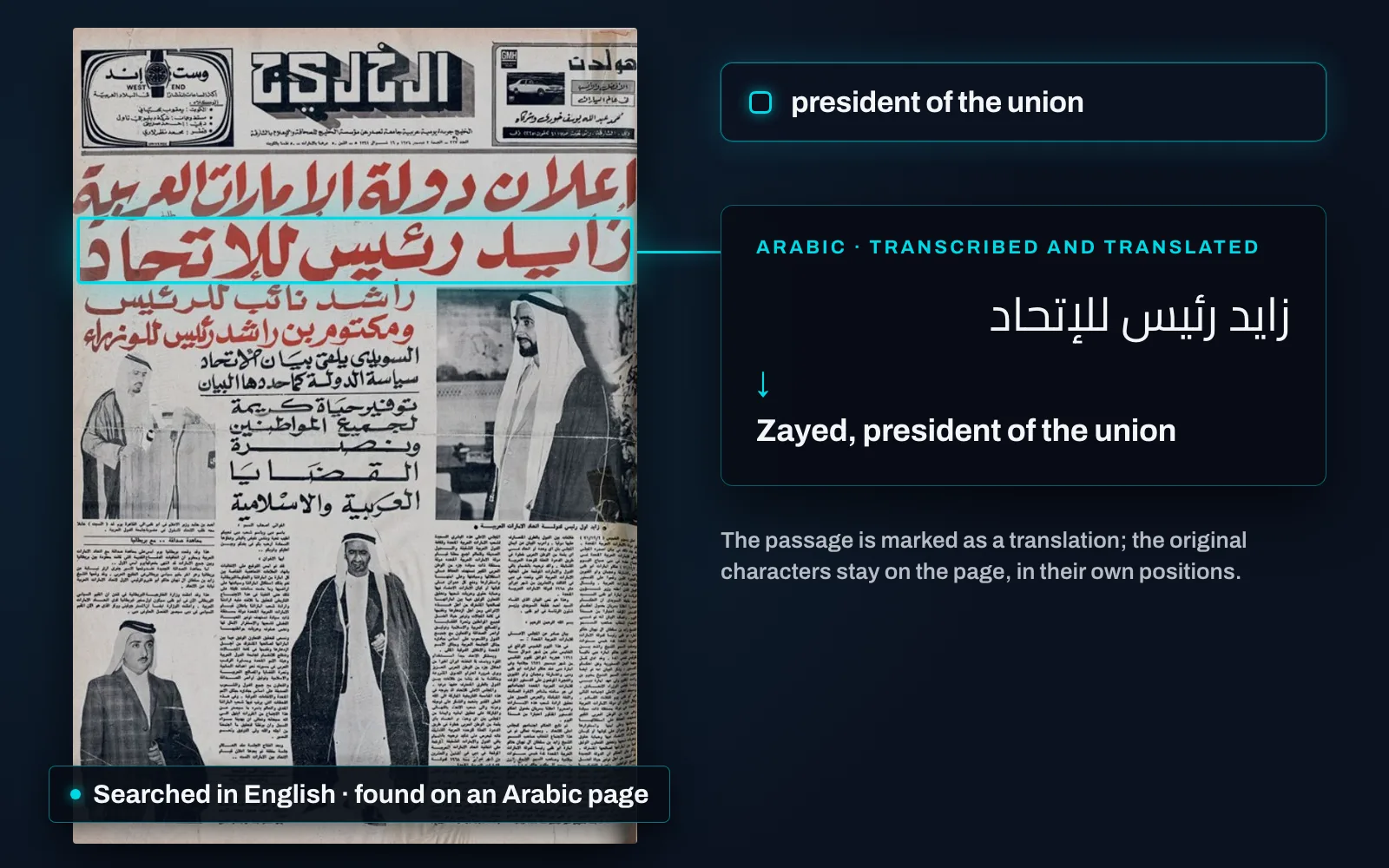
Search in one language and reach the others. Where an administrator has enabled translation for a content type, every page in it carries a translated rendition in one or more target languages beside its original extracted text — and a search now runs against both. A query typed in English reaches a document written in Arabic; a query typed in French reaches a Hungarian leaflet. What comes back is the archive, not the part of it that happens to share your language.
The hit is shown where it is. Matches are highlighted on the original page layout, in their original positions and in the original characters, whatever language you searched in. Nothing about the object is rearranged to answer you.
The translation is a layer you can lift. A page can be switched to its translated rendition from the viewer’s right-click menu with its geometry kept — line breaks, headlines, paragraph blocks and embedded pictures all stay where they are — and switched straight back. The state is held per page, so one page can stay in the original for citation while the page beside it is read in translation.
And it says plainly what it is. A translated passage is marked as a translation. It is produced automatically; it is good enough to find something and to follow it, and it is not the record. The original text is always preserved, and toggling the overlay never changes the object.
It is running on a real page on the discovery page.