
Reading the page as it was printed
Text recognition built for archives is now available on the OCR job. Nothing changes on a workflow you already run until you change it there.
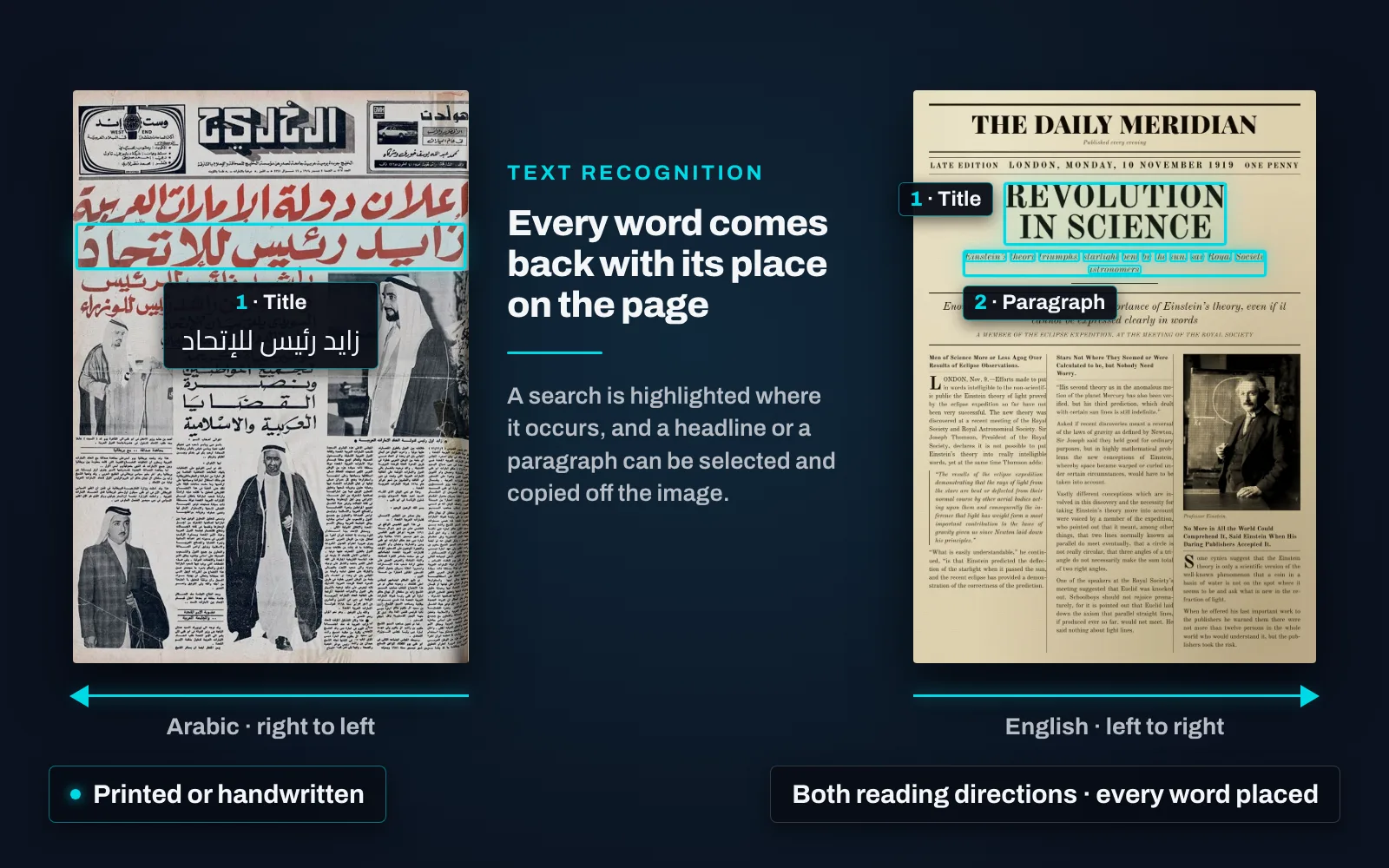
Printed and handwritten material go through the same job, with no separate setting to choose between them, and left-to-right and right-to-left material sit in one collection and run through one workflow. Older typefaces, blackletter among them, are read as their own kind of printing rather than forced through a modern-print reading. It reads what archives hold — newspapers, books, catalogue cards, forms and manuscripts — rather than clean office documents.
Text comes back with the position of every word on the page. That single property is what makes the rest work: a search inside an item is highlighted where it occurs, a headline or a paragraph can be selected and copied off the image, and a phrase inside a long item is a place you can land on.
Running recognition again over a page that already has a layout keeps the layout and replaces only the words. Zones are not redrawn, articles are not regrouped, picture regions are left alone — so a catalogued, segmented collection can have its text improved in place.
Where a collection’s script, typeface or hand is not covered yet, recognition can be taught it, and the coverage added to an installation already running. It can run offline, inside infrastructure you control; nothing need leave the building.